The web escapes the computer screen: what the E-reader will do for unpublished information on the web

The next information wave - Photo by mikebaird from Flickr licensed under Creative Commons

The next information wave

It’s easy to hate the most over-used phrases used to describe the web age – paradigm shift, knowledge revolution, Web 2.0 etc. 

But hey we’ve all faced the tyranny of an empty page – it’s tough out there. And faced with amazing changes to how we locate information represented by Google and the other search engines it’s easy to reach for the bottle of superlatives. 

Even the growth of email has meant a phenomenal change to the way we consume and create information in the last 15 years as documents and comments flow back and forth in minutes that used to take faxes, printers, and letters hours or days. 

Despite all these examples of card-carrying “gee whiz”  moments however it looks like we are just about to be swept up in another wave. 

We are just starting to consume knowledge in another way which may result in an equally dramatic lifestyle change when compared to the growth of search engines, or the early days of the web itself. 

Amazon's Kindle Reading Device - the A4 size DXThe on-rushing wave is the e-book (or more properly the ‘E-Reader’), with an estimated 10 million being sold by the end of this year just in the US alone and dozens of different E-Readers in the works from different companies emerging in the next 12 months – with a combined marketing budget in the hundreds of millions that will make the recent Apple iPad launch look like a hiccup. 

On the surface of it is this just another example of hyperbolic silliness? Because isn’t the E-Reader just another way to consume books that we’re already reading in hardcopy anyway, and as many have pointed out there are a lot of advantages of traditional hardcopy over the electronic alternative?Illegible computer screen text - photo by Naufragio on Flickr licensed under Creative Commons 

What is interesting about E-Readers is not the ‘E-book’ part at all. Instead E-Readers are going to very rapidly reshape how we consume information on the web. This is not about a ‘new device’ it’s about a new way to consume information, because as is somewhat obvious most of the information on the web is just not available in hardcopy form at all. And that really matters. 

Backlit screen reading is hard to do (sorry Apple I know you’re trying with the iPad). It’s hard on your eyes,  it’s not very portable (try reading a laptop with your feet up), and in this information-packed age unless you’re looking at a huge screen it is hard to skim read and quickly identify the key points in screen-based information. 

This has lead to an emphasis on other aspects of screen-based information that compensate for these drawbacks of the web on a computer screen by adding new functionality: dense hypertext links to make cross referencing easy, the ability to comment and interact with authors as represented by blogs, the ability to locate and reassemble information in many different ways as represented by search engines, and in most journalism courses a recognition that writing for the web requires a specific style (admonitions to not write more than two sentence paras etc). 

The RSS button - freedom from the screen? Photo by HiMY SYeD / photopia on Flickr licensed under Creative CommonsBut the E-Reader is changing that (read “Customized newspapers on e-books: Calibre cross-platform e-book subscription management” to see how you can subscribe to websites out there on the web on your E-Reader, via their RSS feeds,  just like you can subscribe to a podcast on iTunes). 

What happens when everything from the web is as portable and easy to read as paper? 

It’s not JUST the E-Reader: the way this is going to turn our information-consuming lives upside down is driven by a groundswell of the growth of machine-readable info feeds on sites represented by Really Simple Syndication, and emerging platforms like Calibre which enable you ’subscribe’ to any website on any E-Reader – for FREE. 

The E-book just happens to be the final crest of the wave which is about to sweep away already undermined sections of the publishing industry. 

Still not convinced? 

The only thing worse than a ‘paradigm’ shift is an attempt to predict the future so here goes with a few near-term predictions: 

  1. the world of journalism is about to get vastly more competitive – journalists in a newspaper will be competing with bloggers with more specialist knowledge who previously had limited circulation because you couldn’t purchase your average blog conveniently on a newstand or read it on the way to work on the train. The blogger is providing the information for free.
  2. How do you find the best? Photo by Diabolic Preacher on Flickr - licensed under Creative Commonsintermediaries that seek out big stories will get more important in their own verticals (wherever those stories are) whether they are using algorithms like Google or whether they are using human curated approaches like ‘The Week’, or social media mechanisms like Stumbleupon or Digg. Try and find for example, amongst the 100m+ blogs out there which are the most entertaining ones? To some extent this question was irrelevant  if those blogs didn’t get read – but not any more.
  3. new ways of consuming stories will arise – for instance ‘collaborative reading’. On my Kindle or Sony Reader or iPad or whatever why should I not be able to view annotations on a text by my colleagues, or classmates, or friends?
  4. we’re not talking individual wikis – we’re talking wiki world – why buy a ‘How To’ manual for  your motorcycle when there is a completely portable version?
  5. traditional publishers who are congratulating themselves on being web savvy like the New York Times or Guardian are going to come under even more pressure because E-Readers in many cases will have the effect of destroying ad revenue and their ability to really track readership. With the aid of software on an E-Reader like Calibre this is the equivalent of Tivo for the publishing world: in your Kindle DX via Calibre no javascript is active (so Google Analytics aint going to know you’ve read the story) all it knows is that someone downloaded their RSS feed (not which particular stories were read).  And fancy ads are not going to come across because people writing recipes to extract your content with Calibre simply don’t want them.  Even if you instituted counter-measures by embedding an ad image joined with a story image, it’s almost the equivalent of going back to the flat ad serving done in newspapers. Free at a blog near you - photo from Flickr by Rainbow Project licensed under Creative Commons
  6. even the acknowledged guru of the web commerce world, Amazon, may be shooting themselves in the foot. They want you to buy e-books from them – but why? If you can read any old PDF or niche website out there on the web from the comfort of the couch? Or a million free book titles? I bought an Amazon Kindle DX and have yet to buy a book on it (but thanks Amazon anyway for paying the wireless subscription charges).
  7. if it isn’t already obvious the E-reader is going to reduce further the cost of information globally even more: expect to add value with your startup company by better locating information, or better curation, but expect an uphill road if you think it’s about unique content (Mr Murdoch take note).
  8. a bit like podcasting has broken the barriers to entry for local radio talk shows your decision is not ‘which paper do I buy in my home town’, instead it’s ‘which blogs do I want to read from the entire internet?’ Publications are becoming ‘unbundled’ and publishing deadlines paradoxically may actually become less important in the age of instant satsifaction. Why should I read some crap which some journalist stitched together at the last moment to make the Sun weekend edition when I can read a combination of bloggers who only produce pearls once a month?


Like the sound of this new world or hate it? 

Is it not going to happen at all?  

This is a blog – talk back!

Posted under Kewl

This post was written by mike on February 22, 2010

Tags: , , , , , ,

The ‘always-on’ world of Generation Y and what we can learn from it

A young Gen Y iphone user (photo by JL! from Flickr - Creative Commons)It’s often tempting to see changes happening around you as somehow far more significant than they are. The ‘new‘ is seductive, and we all want to feel that momentous things are occuring that we’re just lucky enough to witness.

What’s happening with internet-connected smartphones?

Looking at the current growth of smartphones where sales grew 50% in the 1st quarter of 2009 (year on year), now accounting for 1 in 4 of all phones sold, and particularly at the way that Apple doubled their share of the smartphone market with the iPhone,   it is clear there is something going on with huge numbers of people becoming ‘connected’ to the web while mobile during their every waking hour.

But what does that really mean? Is this change really significant? What is this kind of ‘always-on’ / ‘always-on-me’ technology actually used for and what kind of impact is always-on going to have on the group that uses it?

Well once people get smartphones (and particularly iPhones) this is what they do with them in Comscore’s mid ‘08 European study of smartphone usage:

  • 80% of users browse web-based news sources
  • 56% use web search
  • 32% watch mobile TV or video
  • 42% use a social networking site or blog
  • 70% listen to music
  • 70% use email

In the broader mobile market Comscore reckons that more than 22 million people accessed web content daily via mobile in January 2009.

Cwipes! What a scary proposition! The newspaper industry has hardly adjusted to the need to rewrite and present copy differently online, now they’ve got think about mobile as well?

What is this kind of ‘always-on’ smartphone connected world going to be like for me as an individual?

Fortunately even before smartphones came along there was a demographic that was always-on. These are the guys who were born from1980: “Generation Y”. That’s 60 million+ people in the US.

Texting, texting 1..2..3 (photo by me and the sysop on Flickr - Creative Commons)Generation Y loves phones more than any other device.

For example, how many text / SMS cell phone messages do you send a month?

30? …. 50? …. perhaps you’d consider yourself a heavy texter who sends 100 a month (roughly 3 a day)?

Gen Y teens send 2200 texts a month.

It’s an absolutely stunning number of itself but it starts to make more sense when you do a little math.

As a Gen Y’er explained to me it’s just keeping in touch with about 10 people during the day with 7 messages sent over the course of the day to each person. 

“I’d feel naked walking into a cafe without a phone,” she said,  ”the first thing I do when I sit down with my coffee is text.”

Just as the Gen X’ers had trouble explaining how they were just ‘chatting’ on the phone to their parents (who saw the phone as something you only used for a special ‘transactional’ purpose), Gen Y use text messages more like status updates which can be broadcasted to multiple people in their phone address book.When refusal offends ... text (photo by PU/L on Flickr - Creative Commons)

The text message also carries a relatively low level of commitment. If a social event is being planned it’s possible to give only qualified approval by text, and then, because of the multi-threaded conversations going on, preserve your options to converge with whomever of your friends make sense in just a few hours time (read short term social planning). 

Difficult conversations and conflict are avoided by text but equally you may end up maintaining more ‘low-level’ relationships (notice how on Facebook your Gen Y friends have 200 or so Friends versus the Facebook average of  120).

Gen Y’ers of my acquaintance claim that they have more problems with friends who just won’t give them ‘attention-share’. 

 ’Status updates’? ‘Social committment’? It is all beginning to sound a bit Facebooky isnt’ it? Well according to Facebook 1 in 4 active Facebookers are accessing Facebook via  mobile device anyway (or about 60 million people).

Gen Y are just at the more intense end of an always-on curve that most of us are moving along anyway (50% of internet users now use Facebook) which is why Gen Y are worth watching.

How do I know when I’m becoming an always-on digital native?

Here are some ways to tell you’re becoming an always-on digital native, and how Gen Y seems to deal with the issues raised:

  1. Feel like your Twitter Followers are more in touch with you than your family? Well Gen Y have been that way for a few years (unless their family are included in their updates!). Get into your Gen Y relative’s status updates!
  2. Concerned about feeling out of the loop unless you’re constantly in touch with your friends? Don’t worry, unless you’re exceeding social contact with more than 10 people a day you’re just acclimating to the environment shared by the rest of  digital natives. Despite the fact that you’ve only got 50 Friends on Facebook you need to be aware that the numbers of close friends people keep in touch with is usually totally independent of this (most Facebooker’s only regularly exchange info with 5% or less of their Friends).
  3. Want instant answers to any question? Gen Y’ers have grown up with Google since it really began to make waves around 2000 (the oldest Gen Y’ers were 20). They know how to use Google’s advanced search operators and they expect to instantly be able to find the answer to any question ‘of fact’ (analysis may take a little longer).  If you don’t know for example what the [site:] operator does on Google find out
  4. Worried about the fragmentation of your attention when you’re trying to do original work? Well at least you’re thinking about it. 36% of UK broadband users (aged 16-55) state they have both the TV and Internet on in the same room every day. On weekdays the time when TV and Internet multi-tasking is most likely to happen is around 8pm in the evening (TNS/YouTube Media & Audience Study December 2008). Be aware that not every Tweet, IM, txt or email requires any level of committed response, and your spelling or grammar doesn’t have to be correct when and if you do respond.  Put off your next bout of Facebook voyeurism till the evening or weekend when you’ve got the time. At work why not cruise through the constant stream of interruptions with an uninterrupted iPod-driven music beat, set Outlook to pick mail once an hour, and get to know the web-based productivity tools out there like Pipes or RSS readers for cobbling together streams of information in structured ways that don’t all end up in your email inbox where they have to be dealt with.
  5. Tempted to send an email or IM to deal with every eventuality? Gen Y’ers for all their obsessions seem to know the limits of electronic communication (perhaps those equally endless hours of movie consumption have taught them about body language?). Remember all that non-verbal communication and get out there and actually meet people. If you’re at work, call a project meeting so you can check out the negative body language of the guy who is not saying anything over electronic channels. Use the digital native tools that are out there to help arrange ‘face time’. Online dating is ok too: 1 in 10 American internet users claim to have used dating sites even back in 2006.
  6. Thinking about what other people are thinking all the time? Living in an always-on culture with an always-present peer group can make you feel insecure when you don’t receive instant positive feedback on your latest choice of fashion accessory, and let’s face it someone has to do the jobs out there that don’t come with a support group (for instance being an HR Manager in the middle of a recession). A level of concern about Gen Y ‘neediness’ for approval is easy to find on the web, and in some cases has also branched out into a belief that creativity/originality might be harder for Gen Ys. It’s a concern that arguably appears unfounded: there’s quite a lot of evidence that Gen Y’ers strive to separate themselves from the herd, and are quite self-aware when it comes to dependency on others. Do both these things yourself.
  7. Worried about privacy in the always-on electronic village? This seems a harder one to deal with. In this case you have the edge on Gen Y because you can remember youthful indiscretions that did come back to bite you! Think about the implications of privacy online, and use Facebook’s privacy settings in particular. For example, you probably don’t want your Facebook profile showing up above your LinkedIn profile when a prospective employer does a search and you even may not want registered Facebook users to be able to search for you if they’re clients as you don’t want to risk offending them by refusing their ‘Friend’ requests.

Always-on smartphones. Internet 1995 all over again?

3G Unplugged - why your iPhone becomes an OffPhone (photo by Simon Doggett on Flickr licensed under Creative Commons)A last point worth noting is that the 3G always-on world of mobile devices is not just something that society isn’t quite ready for.  Neither are the telcos. 

AT&T’s experience with handling the surges of traffic caused by iPhones has been bumpy. iPhones are basically the bandwidth-hogging Hummer of the smartphone world which can make the experience of using 3G connections patchy as the network is just overwhelmed (try getting through the online traffic jam whilst sitting in a tech related conference session with a couple of hundred other delegates some time).

The telcos are scrambling to catch up but at the same time they are already dealing with a rapid increase in the use of bandwidth-hogging video and audio – so the backdrop for them is challenging even when they’re trying to pass this stuff down wires rather than than through the air.

Posted under Kewl

This post was written by mike on September 11, 2009

Tags: , ,

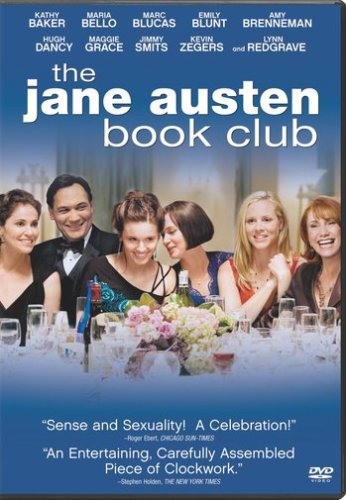
Jane Austen: pride and prejudice in movieland in “The Jane Austen Book Club”

The Jane Austen Book Club DVD directed by Robin Swicord at AmazonIn Drivelry’s continuing mission to convert the obscure into ’scure’,  it is remarkable how some movies do so well at the box office and others do so undeservedly badly.

A great case in point is the film “The Jane Austen Book Club”. Despite the title you really don’t have to know anything about Austen to appreciate this film.

Written and directed by Robin Swicord its dialog sparkles along at a pace that it makes typical action pics look slow. With more layers than wedding cake you could watch it half a dozen times and still not pick up on all the jokes and nuances.

Ok it is a romantic comedy but it’s also a labor of love because behind a lot of the excellent jokes and gags are some serious and subtle points about relationships.

Labelled a ‘chick flick’ any man would enjoy the byplay in this film - there are a raft of muscular characters here and not just Sylvia’s gay daughter Allegra.  It is also full of surprise twists and shocks - you’d defy anyone to come up with anything so true-to-life awful as one of the opening scenes with Daniel and Sylvia in the restaurant.

Great film – terrible box office takings

Four Weddings and a Funeral DVD on Amazon But the thing that is really most shocking about “The Jane Austen Book Club is how such a good film did so relatively badly at the box office taking only $7 million in revenue.

“Four Weddings and a Funeral” (which is a veritable pastiche compared to ”Book Club”) took $245 million….  Even Swicord’s previous film “Little Women” took $50 million.

Narrow it down to Austen literary territory and the comparisons look equally bad:

  • “Bride and Prejudice” took $24 million
  • Keira Knightley’s 2005 “Pride and Prejudice” took $121 million
  • Emma Thomson’s 1995 “Sense and Sensibility” took $134 million
  • and the  recent biopic about Austen herself “Becoming Jane” took $37 million

Perhaps one could argue that Austen fans like their adaptations as close as possible to the original based on the above but it is still interesting to ask why ‘Book Club’ did so comparatively badly (unless you think all of the above are so much better than it is).

What went wrong with this movie?

Here are a couple of guesses which have more to do with marketing than anything else:

  •  why-oh-why did they call it “Jane Austen Book Club”? It’s like holding up a large sign to say “don’t come to this unless you are a) a woman and b) you ‘read’ with a capital R. Well, that’s 3/4ths of the filmgoing population gone then… What about Truths Not Universally Acknowledged? Read My Lips? The Club? Anything would have been better. Was Swicord so shocked when a producer said yes to her pitch (“I have this idea about a film about a book club…”) that she felt she had to stick with it?
  • nobody seems to have really liked Fowler’s book amongst my acquaintances although I appreciate that somebody liked it in order for it to end up on the New York Times’ bestseller list for 13 weeks.  Was the film too closely tied to the Fowler book but actually aimed at a different demographic?
  • did it need a more bankable star – would it have been the same movie with someone else as the female lead Jocelyn? It seems thoroughly unfair to even suggest this as Maria Bello played the role so well but would a Cameron Diaz or Michelle Pfeiffer have had more drawing power?  Would a better known male lead in the place of Hugh Dancy have delivered better box office returns – and again Hugh Dancy played Grigg’s role to perfection so it is unreasonable to suggest this on anything more than marketing grounds.
  • did it need to be rewritten to appeal to a slightly younger audience? As a 16 year old said the other day “it didn’t speak to me” – with it’s acutely drawn portraits of middle age as delineated in the Daniel sub-plot did it just leave a younger audience too much in the cold?

We’ll never know the answer of course but someone should look beyond the box office results above and give Robin Swicord more money to make another film, this time with a better marketing plan.

The only strangely Austen-ish happy ending outcome of all of this was that the film was nominated for the Gladd Media Award and lost to another greatly unappreciated film which Drivelry has also reviewed, Stardust. The co-stars of the two films, Hugh Dancy and Claire Danes, announced their engagement this year.

Posted under Kewl, Reviews, Unanswerable questions

This post was written by mike on August 18, 2009

Tags: ,

Online news: bloggers v newspapers – will the lowest cost base win?

Financial forecasts look negative for newspapers

Photo by Zarko Drincic from Flickr licensed under Creative CommonsThere are some nervous investors in the newspaper world.  Even after the recent 30% lift in the broader stockmarket, newspaper stocks like the New York Times Company and the Washington Post Company are trading on price to cashflow multiples of 4.2 and 6.8, where their 3 year averages were 11.8 and 10.6 respectively (Gannet actually trades at 1.8 x cashflow - albeit with a lot of debt).

Newspapers were seeing revenue decline year on year even before the credit crunch started. From the peak in 2005 of about $50 billion in newspaper ad revenue in the US,  revenue declined to $38bn in 2008.

Warren Buffett wouldn’t buy a newspaper these days for any price and newspapers themselves (those that are left after companies like Tribune have filed for bankruptcy and others have shut down) are even pleading for charitable status before those oh-so-friendly politicians.

The public already seems to be voting with their feet with the Pew Research Centre results showing that the percentage of Americans getting most of their national and international news from the web has gone from 15% in 2001  to about 40% today. Environmentally insensitive as my household is, it also seems tactless to  be throwing hunks of trees out with the rubbish every week in this age of global warming concensus.

It’s fascinating (particularly for bloggers … Ahem..) to watch. Sort of like a slow motion car crash.

And it is indeed slow motion; back in the mid 1990s I worked for a  very large business magazine publishing group who were very concerned about the commodification of news on the web. This (listed) group’s response to the threat posed by the web was to spend quite a bit of money trying to build web based vertical business communities around subscription products where ‘news’ was only a small part of the offering (they were trying to sell conferences, lists, and databases etc).

Can the traditional news industry restructure before it’s too late?

Does the news industry ‘get it’ (including television news for that matter), or are they in terminal decline? And if the traditional news industry is in terminal decline where are we going to be getting our news from – who is going to take up the slack? Bloggers? Google News? None of the above?
Looking at the online output from a lot of newspaper websites you could easily come to conclusion that on the surface they don’t get it.

The response of most papers to these strategic challenges, it seems to me, is to put in systems so they can multi-purpose copy to put out web versions and hardcopy versions at the same time. Like … errrmmm … wow ….

As an approach it’s likely to be fundamentally flawed because screen reading habits are simply different from hardcopy reading habits (so you can’t easily re-purpose for both). For example conventional advice onscreen is to write no more than 2 sentence paras, use online emphasis tools like colour etc where appropriate, and heavily use subheadings.

Another key point is that online the unit of consumption is not the newspaper ‘Section’ but rather the individual story itself, much as in the online music industry consumers increasingly buy singles through websites like iTunes rather than albums.  The individual article becomes the point where most people directly enter the parent website – so links from an article to your other articles and similar techniques to generate traffic within a website become far more important than in a hardcopy publication.

Most newspapers seem not to understand search engine optimisation

Another fundamental problem that is easily recognisable on your favourite newspaper’s website is an inability to respond fully to the needs of search engine optimisation. If you want to boost your online advertising revenue you  need to pull in punters who are actually actively looking for information via a search engine rather than hoping that they will serendipitously spot your ad at the right time. You don’t have to be a genius to realize that a buyer who is actively looking is worth paying more for as a marketeer.  As a publisher you also need to recognise that (typically) 75% of the traffic to your website will come from search engines.

Google ranks words that occur in titles as more important than words that occur in body text. Yet newspaper subeditors seem to think they are principally employed to produce clever puns (‘Shopping Maul’ or ‘Welcome to the House of Funds’ in a business publication I just read) and subeditors also seem to be singularly thoughtless when it comes to choosing commonly used keywords to please Google and Co. For example, have a look at the titles on the New York Times online. Even where newspapers will go as far as encoding the title in the URL (e.g. the title of this article on Drivelry.com if you look at the url) the keywords in the title are often highly unlikely to be searched for.

To put this another way, the average blogger who uses Wordpress straight out of the box (the free pubic domain software that underpins this blog) is likely to have better search engine optimisation than most newspaper websites.

The average blogger is also likely to be heavily scrutinizing Google’s Analytics plug-in to track readership from the first day they start blogging, to see what sort of response they get from their audience. In many publishing groups in my experience that sort of data probably never even gets out of the IT Department down to the journalist…

Cost-cutting on a newspaper doesn’t get you to profitability though

Printing and distribution account for about half a newspaper’s costs. So couldn’t you just shut down the presses?

Probably not.

If say the New York Times managed to halve its quarterly operating expenses, by dropping production of the physical paper, its online advertising revenues would still only cover about a fifth of its operating expenses.

As an article late last year in the Financial Times, Lex Column (link to the original quoted on the Magforum blog) said:

“To break even as an ad-funded digital-only business, with a quarterly cost base of, say, $338m, the New York Times – already the No. 1 newspaper website in the US – would either need 4 times as many unique users or ad rates 4 times as high as today’s, or some combination of the two.”

So where are we going to be getting our news from in 5 years time?

Photo by AlanCleaver 2000 from Flickr licensed under Creative CommonsThis is an issue which has been exercising that compulsory oracle for news hounds, ‘On the Media’ (who now even have a specific theme tune for business models to save the news industry). In a recent interview  Brooke Gladstone interviewed ex journalist David Simon who harrumphed that:

 “The Internet is a marvelous tool, and clearly it is the information delivery system of our future. But thus far it does not deliver much first generation reporting. Instead, it leeches that reporting from mainstream news publications whereupon aggregating websites and bloggers contribute little more than repetition, commentary and froth.”


[I thought it important to validate his worst fears about bloggers by doing just that.]

He went on to say:

“The day I run into a Huffington Post reporter at a Baltimore zoning board hearing is the day that I will be confident that we’ve actually reached some sort of equilibrium. You know, the next 10 or 15 years in this country are going to be a halcyon era for state and local political corruption. It is going to be one of the great times to be a corrupt politician, all right?”

We are watching a fascinating drama play out: an irresistible force (the creation of increasing numbers of niche content sites written by bloggers and disseminated by aggregators and search engines) meeting an immovable object (the newspaper industry) and neither charitable status nor anything else is going to save the latter from being completely transformed.

Blogs versus newspapers: who will win the battle?

Let’s draw a veil over the likelihood of bloggers or mainstream journalists attending zoning hearings. Here is a 10 point list of why newspapers have their work cut out for them: 

  1. Hosting a blog costs nil (on say Wordpress.com) or $20 a month in hosting fees if you want to host it under your own domain name
  2. Bloggers use free graphics libraries under Creative Commons intellectual property rules that can be used to create professional looking articles e.g. free photos from Flickr in this blogPhoto by Mike Licht from Flickr licensed under Creative Commons
  3. Bloggers gain the inherent linking benefits from other bloggers (after keywords, linking is  a primary determinant of website results rankings on Google)
  4. Bloggers live and die by search engine optimisation (and therefore are extremely conscious of it)
  5. Bloggers close the feedback loop on whether their articles work by closely reviewing tracking data
  6. Bloggers have interests and expertise in specific subject areas that no generic journalist can match (let’s face it, some journalists are often a pale reflection of their phone books anyway) 
  7. Bloggers create sites that are extremely niche (the internet’s ‘long tail’ applies just as much to news consumption as shopping) yet because of the search engines they can be found. What publication (for example) would target the dozen or so people who would be interested in this article?
  8. Bloggers are going to write for free in many cases, for the same non-monetary reasons a lot of poorly paid authors write for the publishing industry
  9. Bloggers who don’t write for free will test to destruction the emerging revenue models that for the average newspaper journalist are the province of upper management: Adsense, affiliate programs, emerging electronic platforms like the Kindle, micro donations, pay-to-post, subscription lists (the old ‘controlled circulation list from the hardcopy publishing world) etc
  10. Bloggers use increasingly powerful publishing platforms like Wordpress that have developed whole software eco-systems around them (where the platform itself is free)

There are other points we could make e.g. whether individual bloggers are worth going after with a lawsuit, how well some of those bloggers write (or not) but you get the idea.  To put it perhaps unkindly it could be argued that it would be great if some local and national newspapers shut down and just got out of the way – there will be someone else around to do their job at a lower cost when they’re gone (probably out of work journalists).

But (it’s incontrovertible) …. screen reading sucks

Oh yeah. Fair point. We see this in websites that I consult on commercially- we track print requests from online articles and there are a hell of a lot of them. It may sound like biting the hand that feeds you but at almost 2000 words anyone who’s got this far in this article without printing it deserves a medal.

However the response to this objection is that screen-based reading is getting better every day and increasingly it’s not going to involve a stupid laptop computer that takes 5 minutes to boot, has a keyboard and other components you don’t need to read with, and whose battery dies after 2-3 hours.

When it comes to portable screen-readers the future is now. It’s pretty clear that screen reading devices that you can read with your feet up on the couch like the Kindle (reviewed last year at Drivelry.com)  are getting there with consumers, with estimates from Citigroup that Amazon sold 400,000 Kindle units in 2008.  The newest Kindle even has a text-to-speech function i.e. it will read a book to you aloud.

And again the economics of the cost of distributing a book electronically will eventually force readers to buy a Kindle or look-alike unless they want to pay double for the equivalent in paperback.

As of May 13th 2009, David Simon (mentioned in the On the Media interview above) would be doubly horrified to learn that Amazon (at a 30/70% revenue split in their favour - the same terms they generously offer major newspaper chains) now makes the Kindle platform available to all 41 million-odd bloggers out there as a sales channel. For the modest sum of $1.99 you can even have all the articles from this website (Drivelry.com) delivered automatically to your very own Kindle reader.  Disclosure: this is a plug, run, don’t walk etc etc].

Nobody expects the Kindle to be a significant source of revenue in the short term, but in the medium to long term this is the publishing equivalent of an earthquake.

Posted under Kewl

This post was written by mike on June 9, 2009

Tags: , , , ,

Setting up cheap and professional technology for a home-based small business: networking, laptops, web, and software issues

You may have just been made redundant, or you’ve always wanted to work part-time from home, or you want to run a small business from home. Photo by robertnelson from Flickr - licensed under Creative Commons

You want to:

  1.  use the technology that you know is out there to have a professional small home office setup, and
  2. you don’t have the information technology safety net of a large corporation at home, and,
  3. you want to do it in the most cost-effective way possible.

This article looks at what you need to get, how you need to set it up, and why.

We wrote it because we wish someone had told us this stuff in advance of our learning the hard way over the last few years!

Use Ebay to acquire your computer equipment

For the particular kinds of equipment we’re recommending there are links below to custom searches on Ebay. If you don’t use it and you are a small business start using it.

It is a misnomer that Ebay is just for secondhand equipment (there are a huge amount of real world storefronts selling brand new stuff through it), buy from someone with a high feedback score, and use Paypal to pay (because Ebay insures the transaction if you do). Much of the equipment comes with good support from the seller (often better than in the bricks and mortar world!) and warranties from manufacturers.

Don’t waste your time on auctions (unless you’ve got a lot of time to waste and the cost of your time is low), use the ‘Buy It Now’ option in your searches (as is the case in the below sections). Specify ‘New’ or ‘Refurbished’ in your search. 

Even listing on Ebay puts most businesses under pressure to match the competitive pricing that is being offered by amateurs and other small businesses, so just by using it you will save a lot of money (sellers usually have to match their ‘Buy It Now’ prices to what items have recently sold for).  If you want to get a very good idea of pricing apply your search to ‘Completed Items’ only which will tell you what that item sold in the last month for.

The small home business laptop / notebook

If you don’t already have one buy a notebook PC. If you do, you may have to think about upgrading it to run a business from it. You mainly need a notebook because you need to be able to run your business from wherever  you are – you probably don’t have an assistant you can delegate to.

Get a notebook or laptop that has the following characteristics:

  1. Windows XP (you need reliability so put off going Vista until it’s been out for several years!). In addition you may find some software is cheaper for XP.
  2. 2 gigabytes of RAM (this machine will be running everything including the kitchen sink and this also makes it a little bit future proof)
  3. 2 gigahertz processor or better (it will be running your phones – see Skype section below – and doing other stuff at the same time – it needs to be able to do all of this without degradation)
  4. 120 gig hard disk or better (it will probably end up with your music, photos etc on it)
  5. a 14″ inch or better screen (you’re going to want to switch between applications on the screen and have it all up at once – a big screen is a must – in addition it’s often worth buying a flat screen and extending your desktop using XP’s builtin function to do this so you can have two screens running at once, great for example when you want to copy sections from one document to a web page)
  6. we’d suggest buying something relatively boring like a Dell or Toshiba machine (their support websites will have had a ton of money spent on them, you will be able to buy add-ins like new memory or other components easily, and drivers will be pretty bulletproof and regularly updated with bugfixes because of the sheer number of users)
  7. try to avoid mixing and matching (e.g. Macs and PCs in the same environment, or if you’re buying smartphones for a couple in the business buy the same ones – just makes support and research easier)

Here’s a custom Ebay search for a notebook that meets these sort of specifications for memory, disk, processor, and screen. Change the country as appropriate.

Software: get Microsoft Office

Ok I know there are lots of other solutions out there, open source etc. But in a startup small business you’re running from home familiarity is number 1 and cost is equally important (Office aint free but the upfront cost is dwarfed when it comes to training, patch maintenance etc). If you’re used to something else by all means get that.

Here’s a custom Ebay search for Microsoft Office disks (this search avoids you getting things like training disks and academic versions in the results). It’s not expensive. And even better if you can an older version, say Office 2003, it will still do everything you need it to do. Change the country as appropriate.

Home networks and WiFi (wireless networks) for small business

Wireless (802.11G/B) shouldn’t really be a critical component for your small home based business – it’s fine to have it but it’s only really adequate for casual home users.

The problem is usually interference from other wireless LANs around you or neighbours who are using cordless phones or other devices transmitting on the WiFi frequency. This can result in your connection dropping out. When you’re using critical apps that rely on the internet like IP telephony / VOIP calls for your small business you need better reliability.

“Doesn’t happen to me when I’m using it so far,” you might respond, well when you’re using it 8 hours a day you might notice things could be different … still don’t believe me stick some software on your PC and monitor the uptime of your connection continously for day or so. You can even find that it’s only unreliable on certain days, depending on when your neighbours with the interfering device are home and using it…

In addition to a wifi network get ‘power over ethernet’ connections based on the ‘HomePlug’standard which you plug into your router at one end and a power socket, and then transmit the network traffic through the electrical cables in your house (the other network connection plugs from the power socket at the other end to your PC’s RJ45 network port). You will then have a full hardwired network connection to the internet that you can move around the house (at around 80 mpbs) and, which, doesn’t involve an expensive electrician.

Here’s a custom Ebay search for these type of devices to give you computer network connections by using your house’s wiring. Change country as appropriate.

Choosing an Internet Service Provider (ISP) for a small business 

Again, don’t get a wireless connection e.g. 3G card or something of that nature. Make sure your connection uses DSL and the phone line or possibly cable.

Four things are worth bearing in mind about chosing an internet service provider for a SOHO business:

  1. It’s not just download speed that matters. It’s upload. A single VOIP call is about 40k of bandwidth. Couple that with say an online-demo running or a conference call with a couple of other parties and say another user in the house and a 256k uplink can be maxed out (most network connections start to degrade at about 50% utilization).  Make sure  you have 1MBPs upload speed and for download you want 4MBPs or better. Often cable systems give you really fast download but considerably slower upload where ADSL is not affected by this. 
  2. Get a router that knows something about Quality of Service (QOS) so that it can prioritize voice traffic over say video downloads. This is not expensive (say $100 or so).
  3. You need a router at home (this will have its own hardware based firewall and will allow you to get access from multiple machines at the same time to the web)
  4. Maybe think about using a smaller ISP and check out the performance of that ISP in your neighbourhood if you can by Googling something like ‘review’ and the name of the ISP you plan to use.

Get a Skype ‘Unlimited’ Plan so you can make virtually unlimited global calls for any length of time at a fixed cost

This enables you to make and receive calls from normal phones at a fixed cost per month of $10 or so at the time of writing. And when I say ‘fixed’ I mean it. You can call most major countries under this plan for as long as you like and it’s free (i.e. covered by the subscription). Set up a Skype Business Control Panel account so you allocate credit between you and other users.

Oh yeah – and download Skype from www.skype.com because you’ll need that to get Skype in the first place!

You can cancel your unlimited sub at any time e.g. no yearly subscriptions or whatever.

These accounts come with voicemail, calls through Skype through your mobile/cellphone, and the ability to record calls and quickly and easily set up conference calls between multiple parties.

The really neat part if you have international clients is that you also get 3-4 phone numbers in different countries. In other words you can have a ‘US number’, a ‘Hong Kong’ and a ‘UK number’ and pretend you are a lot bigger than you are by listing these on your website to imply you have offices in each country…

All of these are rerouted behind the scenes to your Skype voicemail and main Skype user a/c. In addition you can pick up your Skype voicemail from your mobile and you can get an SMS and/or email every time someone leaves a message. You can even have your mobile/cellphone number voicemail redirect to your Skype number so everything comes in the same way to one place.

Here’s a link to some info on Skype for business. Voice quality will not be as good as in a normal phone call but with a headset it works fine. Where voice quality is poor we have generally found this is because of connectivity issues as hinted at in the above sections on choosing an ISP and implementing a home network, rather than because of Skype itself.

Skype is also valuable when collaborating with suppliers if they’re using it: you can actually see when they’re available by the Skype status icon (less wasted calls), it’s free, and you can easily drag and drop large (i.e. too large for email) files to them, and download the free Skype Outlook toolbar so that you can one-click dial or SMS people straight from your address book (no more typing text messages into handheld devices, just use your keyboard).

Install MX Skype Recorder from www.skyperec.com and now you can record any of your calls or conference calls.

Backups for your home / small business network

You don’t have to back up data. As the saying goes you only need to backup things it is too costly to lose…

For each PC/laptop that you value data on on your home network (e.g. if you can’t afford to lose certain emails etc) buy an external $75 USB connecting hard drive.

Here’s a custom search on Ebay for this type of equipment (plug and play hard drives that sit in external enclosures and connect to your laptop’s USB port). Change countries as appropriate.

Then, and this is a critical point, install Norton Ghost or equivalent and set it to automatically backup once a week.

The difference between Ghost and say copying files or a normal backup is that Ghost ‘images’ your whole hard drive (Oops! Turns out that a critical spreadsheet file that was on my desktop or some other ‘temporary’ place wasn’t in my ‘directories to back up’ list)….

You can take the USB drive plug it into another laptop, hit restore, and the whole laptop including operating system and applications will be as before (in say, under an hour). If you can afford for your small business to be offline for a couple of days with no access to your email archive etc then don’t worry about buying Ghost!

If you want to even more bullet proof (at low cost) buy a cheap secondhand laptop of the same brand and model, pre-load it with XP and Ghost and then if your whole laptop blows up (the memory on mine went fubar in a client demo last week and wouldn’t even switch on afterwards) you are ready to go immediately. I swapped in the memory from my standby machine and was back up and running immediately.

Virus protection

Unless you know what you’re doing (i.e. you know exactly what attachments are safe and which are not), you rarely visit dodgy websites, and assuming you have a notebook that has the spec to handle the load that antivirus programs put on it, get virus protection.

Consider ignoring the entreaties to upgrade to the paid version and get the free antivirus sofware from AVG. You can’t do better than that (or get the paid version).

Turn off the signature on the paid version in the option (which tells your email recipients that you’re using it).

Spam protection

If you have a website which your email address is listed on (and by definition that means most small businesses) you need it, even if it’s already provided by your ISP to some extent.

Get the free Spambayes plugin for Outlook here.

As a ‘Bayesian’ filter, it learns what you think is spam. As such it never gets out of date. And the price is pretty good too…!

Also importantly it looks far more professional than spam filters which insist on applying a ’signature’ to the bottom of all your outgoing emails…

Email is going to be critical to your business and by having multiple email addresses that all come to you, you can seem bigger than you are. Take a look at this article on advanced email tips and email privacy for more info.

Install local text search on your machine

Install Windows Search or equivalent for free. This indexes the full text of all your documents and emails and understands their properties e.g. author fields in Word documents or the difference between an Outlook Task and a Contact.

You can type a few Words in or much more sophisticated searches (full boolean search is offered) and then execute the same search on the web as well with one click using your favourite web search engine.

Don’t waste any more time running the built-in search offered through Outlook or combing through directories looking for files (and BTW when you save files or send emails use sensible filenames and subjects).

More information and download links for Windows Search here.

Web 2.0: For collaborating with suppliers use Google Docs or Windows Live

Google Docs or Windows Live enables you to share things like spreadsheets so that you and other partners out there on the web can both view and update them at the same time. Very handy for instance if you’re trying to track inventory, commissions etc. Easy to use and free.

Go further if you like to full web based CRM with something like Salesforce.com which is a totally web based customer relationship management system. Great if you work with a couple of other people at different locations. All it requires is a web browser and you ‘rent’ the web based software rather than having to buy it and install it (about $2000 per year for licenses for a couple people).

Also get to know Google Adwords, or preferably find someone else who does.

Have your web developer install Google Analytics on your website so you start to know where you are losing prospects.

If you don’t have a web developer use a website like Elance.com to find one by specifying a project and getting people to competitively quote on it.

Find someone who will provide you remote PC support if you need them

By using free software like WinVNC or XP’s built in remote desktop support you can have a lot of your technical problems solved by a remote technician. Best to find them before you need them…

Find a company that is more than a one man band but charges less than a Logica or Siemens or whatever.

Google something like “remote (computer OR PC) support for homes or small businesses” and check out the sponsored links in your area.

Posted under Kewl

This post was written by mike on April 19, 2009

Tags: , , , , , , , , ,